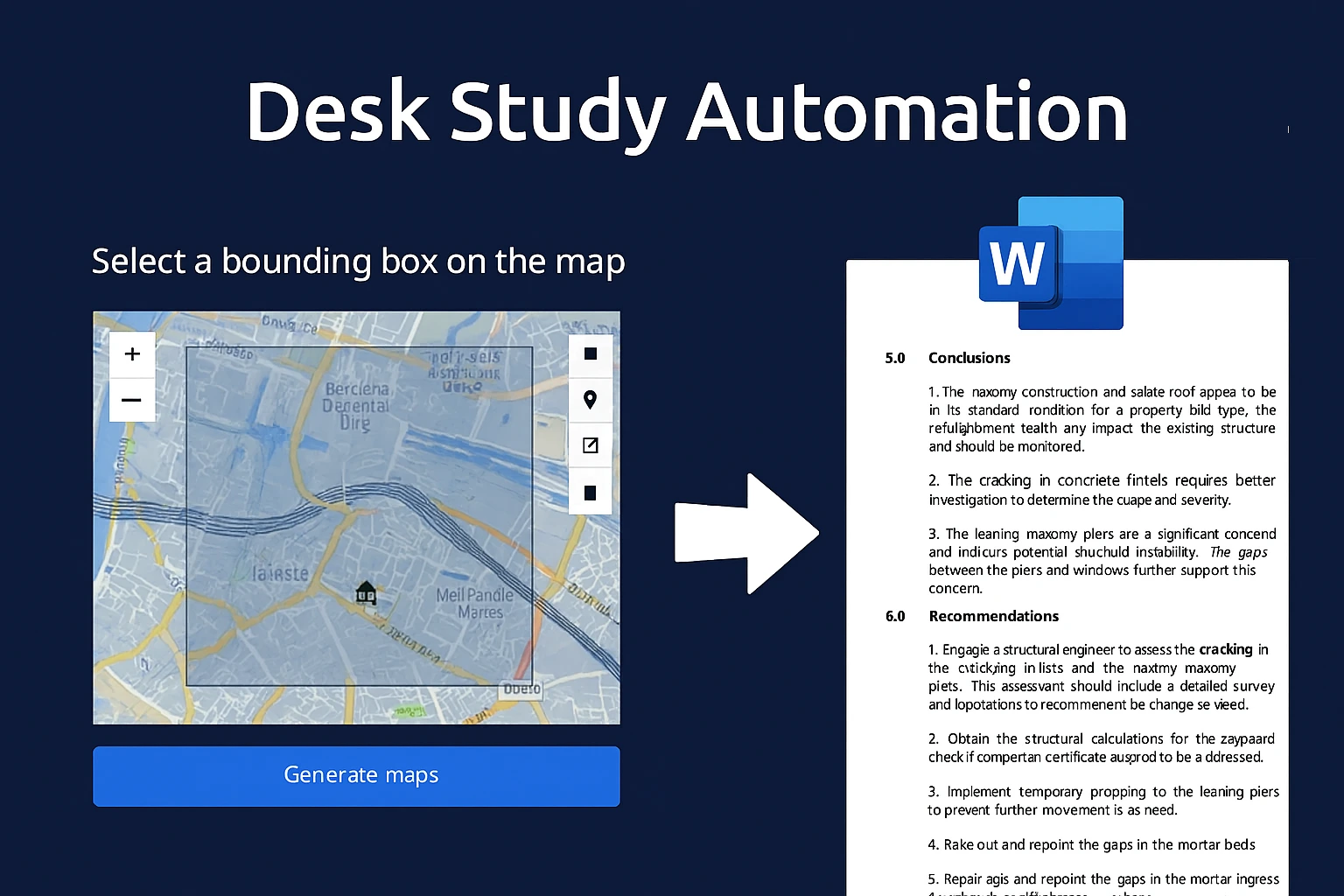
Desk Study Reports have traditionally been a long, manual process: gather background data, pull maps, describe geology, add observations, draft conclusions, and finally write client recommendations. Each step takes time – often 3-5 hours per report, multiplied across dozens of reports per year.
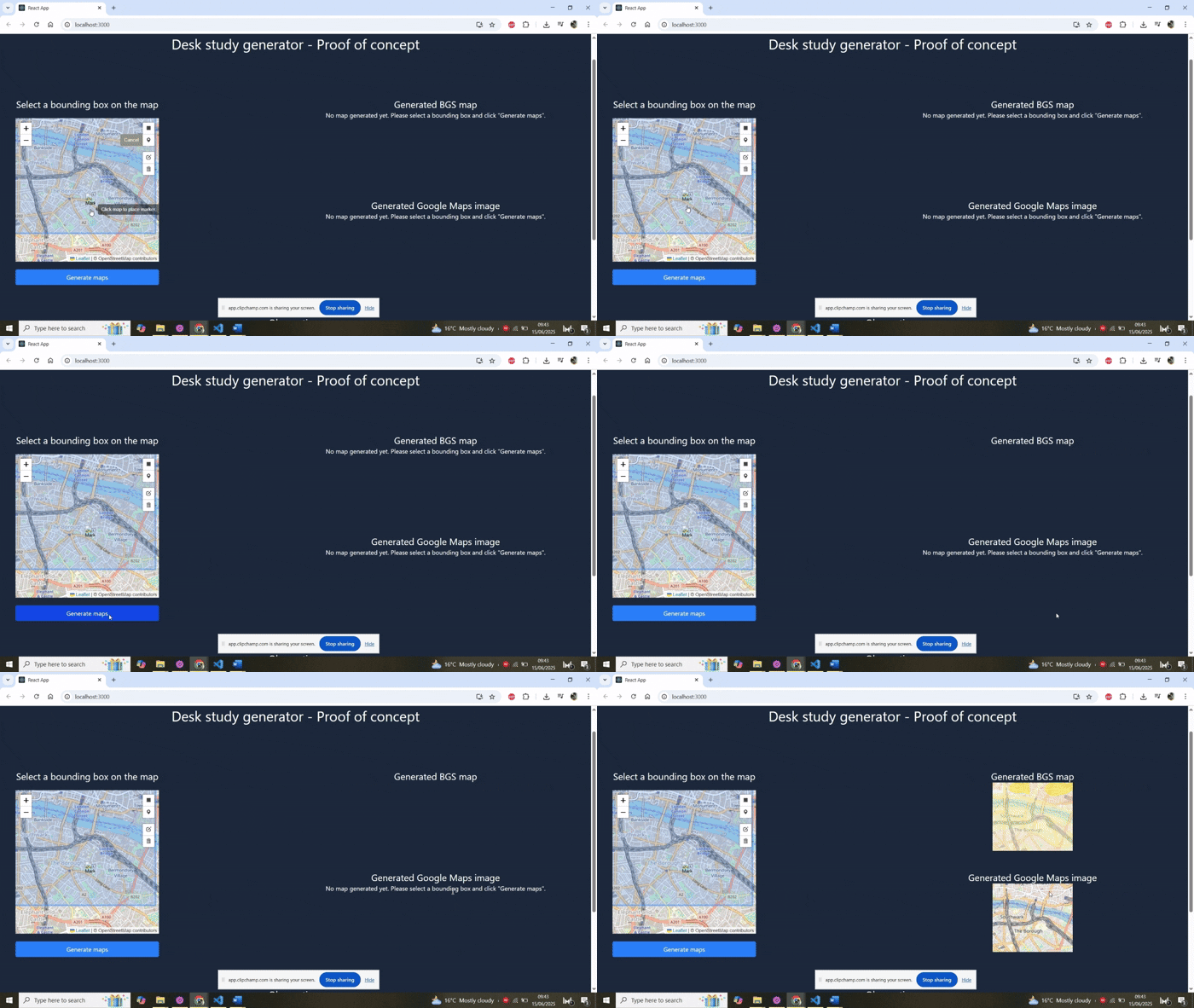
Turns a selection of the site on a map to BGS and Google Maps images. Add observations and generate the report.
To see how far we could push automation, I built a web-based Desk Study Report generator. Here’s what it does right now:
- Site intelligence at a click: By selecting a point on the map, the app automatically collects the site address, type, national grid reference, and nearby transport links.
- Mapped visuals, ready to insert: It generates site and road map snippets, plus the relevant BGS geological layer with a description of the soil condition.
- Learning from experience: Each report produced by the organisation feeds back into the system. Over time, the tool learns from past engineering observations to draft conclusions automatically.
- Recommendations included: Beyond conclusions, the app also generates recommended actions for clients — completing the end-to-end purpose of a Desk Study.
- Engineer in control: The only step left is a final check and tweak by the engineer, who can then focus their expertise where it really matters.
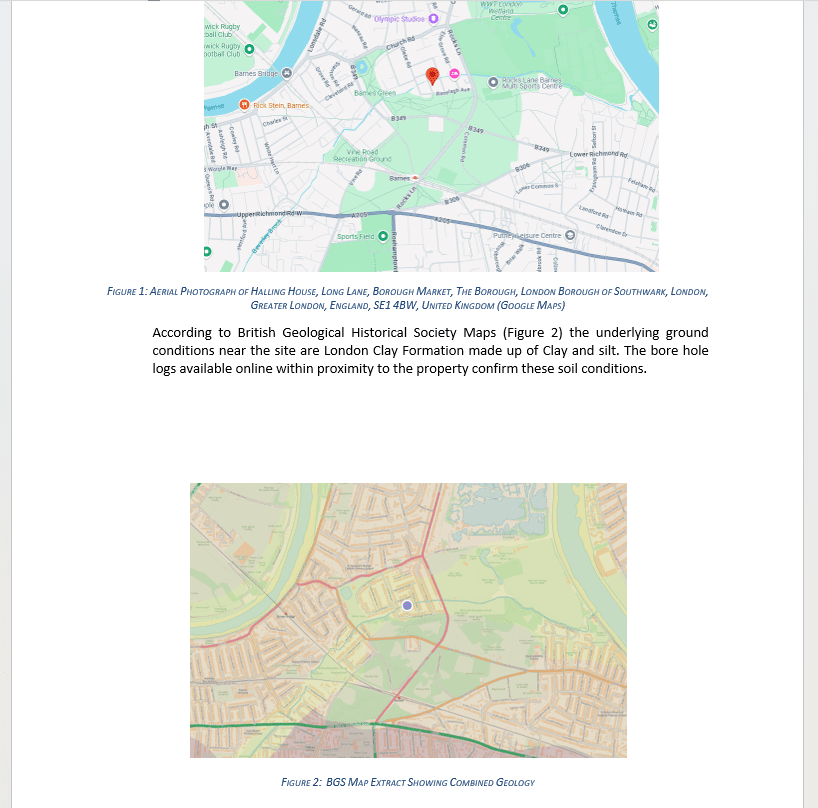
BGS and Google maps images generated
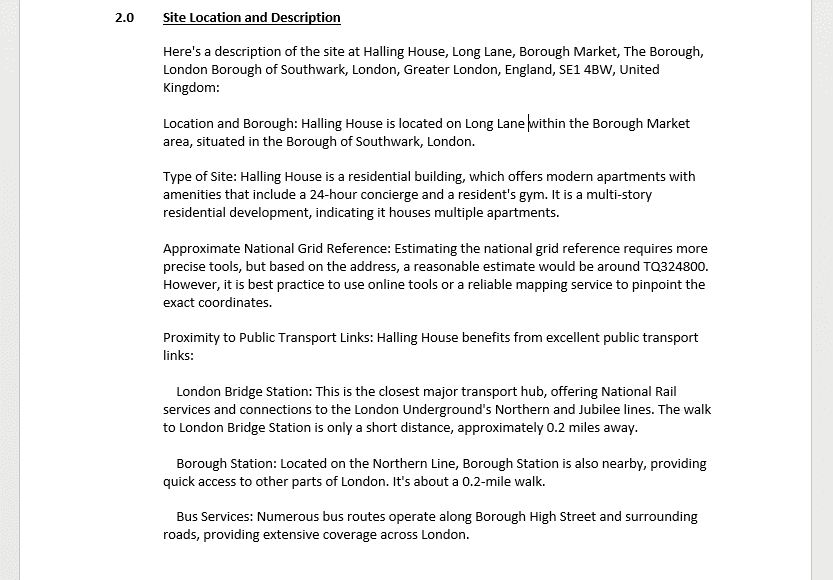
Site specific information generated – transport link locations, site address, etc.
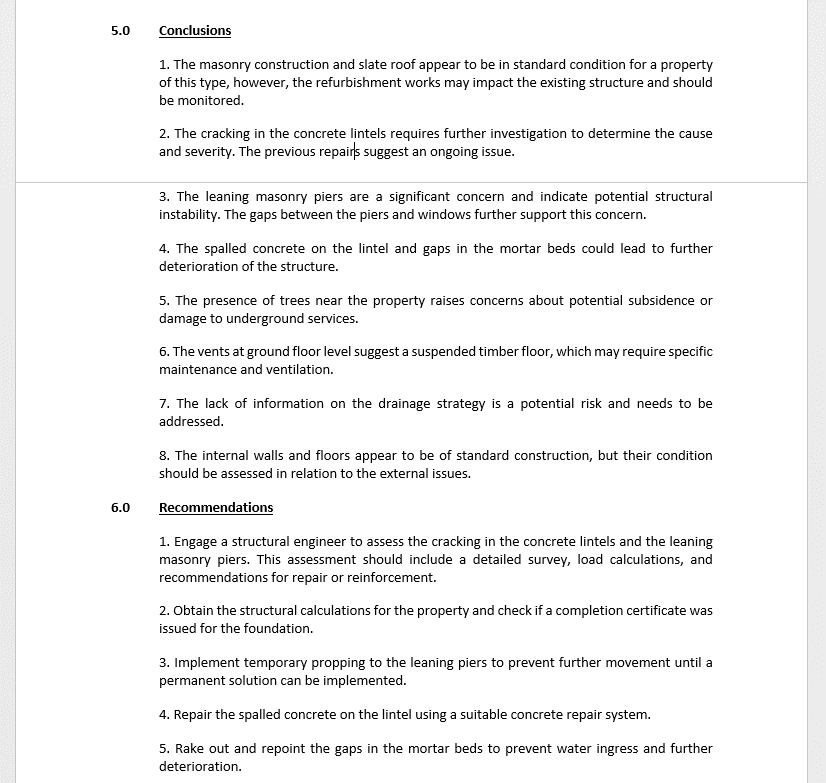
Conclusions and recommendations to the client made automatically through machine learning
The impact is clear:
- Time savings: Hours of background research condensed into minutes.
- Consistency: Standardised outputs and fewer opportunities for human error.
- Knowledge capture: Lessons learned across projects are built into every new report.
- Faster delivery to clients: Engineers can move from site visit to client-ready report in the same working day.
Time taken in the past:
5.5 hours
Time spent now:
20 mins
Approx time saved in a year:
500 hours
Potential cost saved:
£25,000
But this is only the starting point. Once you have a web-based platform, you can keep adding functionality that folds naturally into an engineer’s day-to-day work. For example:
- Voice-to-report: Instead of scribbling notes on site and typing them up later, engineers can speak directly into their phone. AI can process these sound bytes into structured text and even draft whole report sections.
- Smart image handling: Photos taken on site can be geolocated and automatically slotted into the right part of the report. AI can flag the clearest and most relevant photos, reducing the need to sift through duplicates or blurred shots.
- Image description → report content: An engineer’s quick verbal or typed description of a photo can be expanded into a detailed report paragraph by AI.
- Integrated mapping: Site images and notes can be linked to interactive maps that automatically update and embed in the report.
The bigger shift here is this: report creation stops being a separate admin task done back at the office. Instead, information gathering, sorting, and report generation become part of the site visit itself. The total time spent producing a report can shrink to the time spent on site – no more evenings at the office typing everything up.
When you multiply that across a team of engineers, the numbers get big quickly. If a firm produces 100 Desk Study Reports a year, saving even 5 hours per report frees up 500 hours – that’s five full working weeks or about £25,000 saved. Scale it further, and you start to see the potential industry-wide.
Automation in engineering doesn’t have to mean replacing engineers. It means giving them better tools so their expertise is spent on analysis and decision-making, not admin. Desk Study Reports are just one example – but they show what’s possible.
One response to “AI Desk Study Report Generator”
[…] Writing site reports or progress summaries […]